
The Science of Invisible Signals: Why RF and Wi-Fi Surveys Are Your Network's Secret Weapon
Dropped Zoom calls and Wi-Fi dead zones aren't magic—they're invisible radio frequency issues. Discover how predictive, passive, and active RF site surveys uncover hidden signal interference, and see how Volthound delivers custom, high-density wireless networks that keep your business connected.
Imagine moving into a brand-new, state-of-the-art office suite. The design is sleek, workstations are unboxed, and your team is eager to work. But the moment everyone logs on, voice calls glitch, wireless printers drop offline, and walking three steps into a glass conference room drops your video conference entirely.
You inspect your server rack, but there are no broken wires or failed switches. The culprit is completely invisible: Radio Frequency (RF) signals.
Wi-Fi isn't magic—it’s radio waves traveling through physical space, constantly contending with concrete walls, metal beams, low-E glass, and competing electronics. When enterprise Wi-Fi fails, it is rarely a hardware defect; it’s almost always a design flaw.
That is where a professional RF and Wi-Fi Site Survey becomes essential.
What Exactly Is an RF / Wi-Fi Survey?
An RF site survey is a comprehensive physical and digital assessment of how wireless signals behave inside a specific building. Using specialized diagnostic hardware and spectrum analyzers, network engineers map out signal propagation, measure attenuation (signal loss), and locate interference.
Instead of guessing where to mount wireless Access Points (APs), an RF survey uses empirical data to establish exact hardware placement, channel selection, and transmission power.
The Three Types of Wi-Fi Surveys
Engineers deploy three distinct survey methodologies depending on whether you are designing a new space or troubleshooting an underperforming network:
1. Predictive Surveys (Virtual Modeling)
Before pulling a single cable, engineers import your CAD building floor plans into specialized simulation tools. By defining the attenuation properties of walls (e.g., drywall, brick, glass, or concrete), the software mathematically models how radio waves will travel, estimating how many APs are required and where they should go.
2. Passive Surveys (On-Site Environment Mapping)
An engineer physically walks through your facility carrying a specialized survey rig. The hardware passively listens to all active signals across the 2.4 GHz, 5 GHz, and 6 GHz spectrums. This creates a real-world map of signal strength (RSSI), noise floors, and channel overlap from neighboring networks.
3. Active Surveys (Real-World Performance Validation)
During an active survey, the diagnostic equipment connects directly to your wireless network. As the engineer walks the floor, the system measures live throughput, packet loss, latency, and seamless roaming hand-offs between access points as devices move through the building.
Hidden Wi-Fi Killers Uncovered by an RF Survey
Low-E Glass & Metal Fixtures: Energy-efficient window coatings contain metallic layers that reflect Wi-Fi signals like a mirror, while steel warehouse racks act as physical shields that absorb RF energy.
Co-Channel Interference: Placing too many access points on the same channel causes them to contend for airtime, degrading overall capacity even when devices show "full bars".
Non-Wi-Fi Interference: Microwave ovens, wireless security cameras, Bluetooth equipment, and industrial machinery bleed noise into the radio spectrum without ever appearing on standard consumer Wi-Fi scanners.
Sticky Client Behavior: Poorly tuned AP power levels cause devices like laptops or smartphones to hang onto a weak signal from a distant access point instead of roaming to a closer one.
How Volthound Takes the Guesswork Out of Wireless Infrastructure
Building an enterprise-grade wireless network requires a precise balance between physical infrastructure and radio frequency design. Volthound provides end-to-end expertise to ensure your wireless operations remain seamless, fast, and drop-free:
Ekahau-Certified RF Site Surveys: Volthound engineers conduct predictive, passive, and active site surveys using industry-leading software and spectrum analyzers to generate color-coded heatmaps of your exact space.
Custom AP Placement & Directional Antenna Tuning: Volthound identifies optimal physical mounting points, ceiling heights, and antenna angles to eliminate coverage gaps and dead zones.
Capacity & High-Density Planning: Modern networks aren't just about coverage; they are about client density. Volthound designs wireless layouts built to handle hundreds of concurrent laptops, smartphones, IoT sensors, and VoIP devices without throttling bandwidth.
Seamless Turnkey Execution: As structured cabling experts, Volthound handles the entire lifecycle—from performing the initial survey and pulling certified Cat6A drops to mounting hardware and conducting post-installation validation heatmaps.
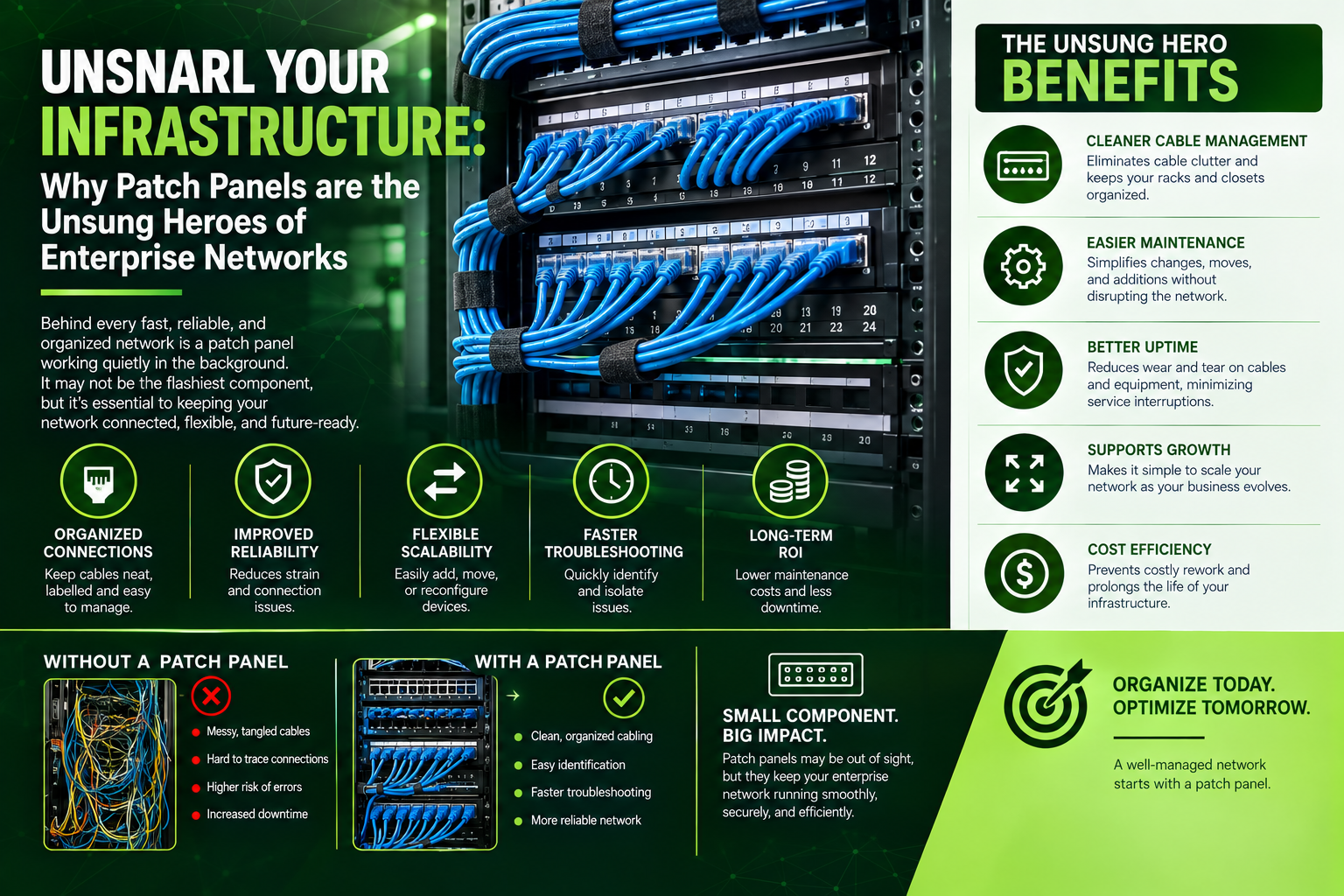
Unsnarl Your Infrastructure: Why Patch Panels are the Unsung Heroes of Enterprise Networks
Tired of "cable spaghetti" in your server room? Discover how network patch panels protect your hardware, simplify maintenance, and keep your business connected. Plus, see how Volthound turns chaotic cabling into a clean, certified, and scalable network infrastructure.
Imagine walking into a server room and being greeted by hundreds of colorful ethernet cables hanging like a thick, impenetrable jungle. One wrong tug on a loose wire could knock out the internet connection for an entire department. Tracing a single faulty line can consume hours of valuable IT time, and scaling up your infrastructure feels almost impossible.
This nightmare scenario is what network engineers commonly refer to as "cable spaghetti." Fortunately, there is a simple, elegant, and highly effective piece of hardware designed to eliminate this exact frustration: the Patch Panel.
Understanding the Core Role of a Patch Panel
At its foundation, a patch panel is a centralized hardware assembly equipped with multiple network ports. It functions as a static, safe bridge between incoming long-distance cables (the permanent infrastructure running behind walls, inside conduits, and above drop ceilings) and dynamic networking hardware like switches, firewalls, and routers.
In a poorly designed network, long cables run directly from wall jacks in individual offices and plug straight into a network switch. A patch panel completely changes this flow: every wall jack in your facility terminates permanently into the back side of the panel. From there, short, flexible, and easily manageable jumper cables—known as patch cords—connect the front ports of the panel directly to your switch.
[ Workstation / Wall Port ] │ ▼ (Permanent Cable through walls) [ Back of Patch Panel ] │ ▼ (Front Ports) [ Short Patch Cord ] │ ▼ [ Network Switch ]
By introducing this middle layer, your core equipment remains protected, while human intervention is restricted to lightweight, easily replaceable patch cords.
Why Patch Panels Are Essential for Modern Facilities
Protecting Expensive Switch Ports: Network switches are significant investments, and constantly plugging, unplugging, or re-routing cables directly into them causes physical wear and tear on their built-in ports. Patch panels absorb all of that daily mechanical wear, ensuring your costly switches remain undamaged over years of operation.
Rapid Maintenance and Issue Isolation: When network connections are neatly organized and labeled on a patch panel, identifying a line becomes effortless. Finding and isolating a faulty port takes seconds using standard testing gear rather than hours spent unspooling tangled bundles.
Optimized Airflow and Thermal Health: Loose, tangled cables block air circulation inside server racks and equipment closets. By utilizing patch panels alongside horizontal and vertical cable managers, airflow remains unobstructed, preventing expensive hardware from overheating.
Unmatched Network Scalability: As companies grow, employee desks move, and room configurations change. A patch panel allows IT teams to reassign a user’s network access simply by moving a small patch cord on the panel rather than pulling entirely new cables through the building's walls.
Copper vs. Fiber: Selecting the Right Medium
Choosing the appropriate patch panel depends heavily on your bandwith needs, physical environment, and distance requirements.
Copper Patch Panels (Cat5e, Cat6, Cat6A)
Copper panels utilize traditional twisted-pair cables terminated onto punch-down blocks or modular keystone jacks. They are the industry standard for general office environments, connecting desktop computers, IP phones, wireless access points, and smart security cameras. Modern Cat6A copper panels support data transfer speeds up to 10 Gbps over standard office distances, delivering a highly cost-effective and rugged solution for daily business operations.
Fiber Optic Patch Panels (LC, SC, ST)
Fiber optic panels are designed to route ultra-high-speed data across much longer distances without signal degradation. Rather than open punch-down blocks, fiber panels utilize specialized enclosed cassettes to shield delicate glass fibers from dust, sharp bends, and physical stress. Fiber patch panels are critical for high-speed data centers, campus backbones connecting separate buildings, and modern enterprise applications requiring speeds ranging from 10 Gbps to over 400 Gbps.
How Volthound Masters Your Cabling and Rack Infrastructure
Deploying patch panels effectively requires meticulous planning, precise electrical termination, and accurate standards compliance. Improperly punched down wires or poorly bent fiber cables can lead to signal degradation, cross-talk, and intermittent connectivity drops. This is precisely where Volthound delivers value.
Volthound provides end-to-end network infrastructure solutions designed to eliminate complexity for your business:
Turnkey Structured Cabling: Volthound's certified technicians handle the entire installation process from site survey to final termination. Whether deploying high-performance Cat6A copper or single-mode fiber, Volthound eliminates messy setups, delivering clean, perfectly measured runs.
Comprehensive Labeling and Mapping: Volthound implements detailed labeling standards across every single port and cable run. Each connection on the patch panel corresponds directly to a physical wall plate and a digital schema, giving your internal IT team total visibility into your network architecture.
Sever Closet and Rack Remediation: If your existing server room has devolved into a chaotic mess of tangled wires, Volthound specializes in full rack cleanups. They re-route, bundle, color-code, and re-patch connections to restore order, improve cooling efficiency, and eliminate physical hazards.
Rigorous Testing and Certification: Installation is only complete once performance is proven. Volthound uses specialized cable analyzers to test every line for signal loss, cross-talk, and bandwidth capacity, providing comprehensive certification reports before handoff.
Take Control of Your Network Infrastructure
Whether you are building out a new facility, upgrading your system to accommodate fiber optic speeds, or simply looking to tame an unmanageable server rack, Volthound provides the engineering expertise needed to build a reliable, clean, and scalable foundation for your operations.
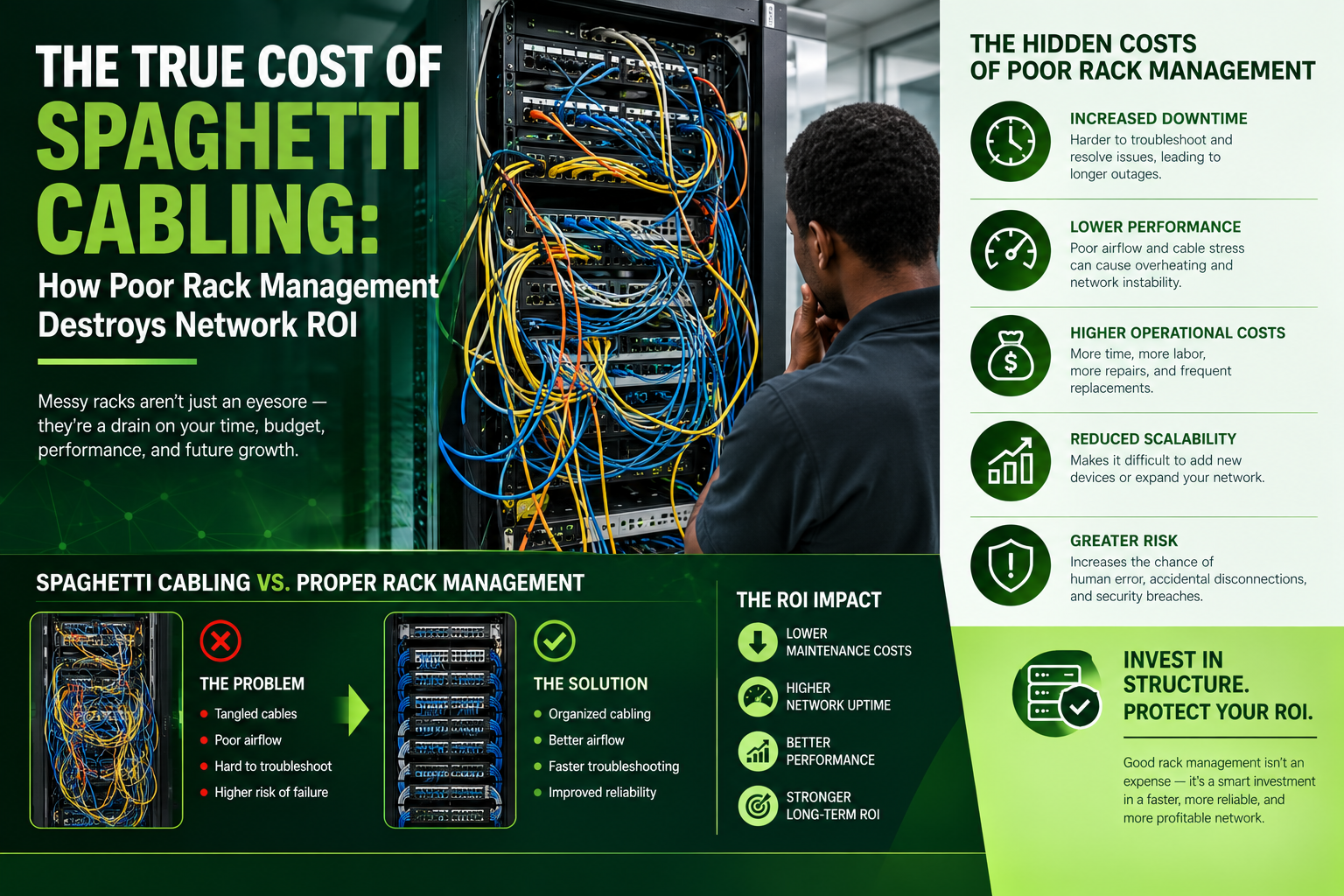
The True Cost of Spaghetti Cabling: How Poor Rack Management Destroys Network ROI
Behind closed server room doors, messy "spaghetti cabling" silently drains enterprise IT budgets. While poor rack management is often viewed as a minor cosmetic issue, it actually blocks critical airflow, accelerates hardware failure, and inflates downtime recovery times during outages. Learn the hidden operational risks of chaotic server racks and see how Low Voltage Tech Solutions helps businesses eliminate downtime, protect hardware investments, and restore maximum network ROI through professional low-voltage remediation.
In modern enterprise IT environments, millions of dollars are invested in high-performance switches, redundant firewalls, and cutting-edge server infrastructure. Yet, behind closed server room doors, a ubiquitous structural flaw often undermines this high-tech investment: spaghetti cabling.
What begins as a quick patch cable addition during an emergency troubleshooting session frequently evolves into a tangled, unmanageable labyrinth. While messy cabling is often viewed as a mere aesthetic inconvenience, industry analysis reveals it as a significant operational and financial liability. Poor rack management directly compromises network reliability, inflates downtime costs, creates critical thermal hazards, and severely degrades overall infrastructure ROI (Return on Investment).
1. Financial Erosion: How Tangled Racks Destroy Network ROI
When computing network ROI, organizations typically evaluate bandwidth metrics, hardware lifecycles, and software licensing. Cable infrastructure management is frequently neglected in financial planning despite being foundational to system uptime. Poor rack management drains technical budgets across several distinct operational vectors:
Extended Downtime and Inflated MTTR: When server racks become choked with unmanaged cables, network engineers can no longer visually trace lines or perform swift port audits. During an outage, finding a single faulty patch cord requires tedious manual tracing through hundreds of interlocked cables. This drastically inflates the Mean Time to Resolution (MTTR), extending unplanned network downtime and costing organizations thousands of dollars per minute in lost productivity and operational friction. Furthermore, the physical chaos increases the likelihood of accidental disconnections during routine maintenance, turning minor service tasks into major outages.
Thermal Stress and Hardware Decay: Server racks are designed around strict front-to-back thermodynamic airflow patterns. Dense, unmanaged cable bundles hanging across active exhaust fans restrict cool airflow through server chassis and switch banks. This restriction forces internal equipment fans to run continuously at 100% duty cycle, driving up facility cooling bills and causing component temperatures to spike. Over time, excessive thermal exposure leads to premature component degradation, frequent hardware failures, and early capital equipment replacement cycles.
Intermittent Signal Degradation: Poor rack management exposes delicate copper and fiber patch cables to continuous physical stress. Cable weight hanging without strain relief causes sharp bend radii, conductor pinching, and tension on active ports. Unshielded copper running adjacent to high-power cables introduces electromagnetic interference and crosstalk. The result is subtle, hard-to-diagnose soft outages, packet loss, high latency, and bandwidth degradation that prevent your enterprise hardware from running at its rated throughput capacity.
Labor Inefficiency and Inflated Billing Hours: Technical talent should focus on strategic engineering, security, and infrastructure optimization. In a disorganized cabling environment, simple port reconfigurations, VLAN changes, or server deployments devolve into multi-hour audit projects. Internal engineering hours are wasted unraveling physical ties, while third-party field technicians bill for excessive labor hours spent simply locating endpoints.
2. Anatomy of the Risk: The Hidden Mechanics
Thermal Occlusion and Active Equipment Stress
Modern high-density rack servers rely on high-velocity front-to-back airflow dynamics to transfer thermal energy away from sensitive processors and memory modules. When cable bundles are stuffed into vertical channels or permitted to hang directly behind exhaust vents, air velocity plummets. Intake and internal operating temperatures rise rapidly, forcing internal server fans to operate at full capacity continuously. This not only escalates power consumption but also subjects sensitive microprocessors to automatic thermal throttling, leading to unexplained system freezes, degraded application responsiveness, and drastically shortened hardware operational life.
Mechanical Strain and Physical Layer Errors
Copper patch cables (Cat6/Cat6A) and delicate fiber optic patch cords have strict mechanical limits regarding pull tension and bend radius. Excess weight hanging from unmanaged cable bundles creates severe bend-radius violations and constant mechanical strain on RJ45 jacks, patch panels, and optical SFP modules. Over time, this physical tension damages internal copper pair twists and creates micro-cracks inside optical glass fibers. The consequences are insidious: intermittent packet drops, auto-negotiation downgrades (such as a 10Gbps link silently falling back to 1Gbps), and persistent physical-layer errors that evade standard network software diagnostics.
Compliance & Safety Risk Note: Beyond network performance, chaotic cable racks introduce severe physical compliance liabilities. Obstructed access violates workplace safety and accessibility mandates, blocks emergency power shutoffs (PDU access), and creates elevated fire hazards due to heat retention in non-plenum rated jacket bundles.
3. How Volthound Helps Clients Solve It
Resolving severe rack cable clutter requires more than a box of zip-ties and basic manual labor. It demands structured low-voltage engineering, precision mapping, and phased implementation designed to eliminate business disruption. Low Volthound Tech Solutions specializes in transforming compromised, high-risk cable infrastructure into standardized, high-performance physical networks.
The Volthound Modern Infrastructure Remediation Framework:
Complete Physical & Logical Audit: Certified technicians utilize advanced line-tracing equipment to map every connection across the environment. They identify legacy or dead drops, map exact port-to-patch relationships, and generate accurate baseline documentation before touching a single wire.
Zero/Minimal Downtime Migration Planning: Custom remediation schedules (including off-hours and weekend cutovers) are engineered to ensure continuous business operations. The team establishes precise color-coded routing schemes dedicated to distinct networks such as LAN, SAN, Voice, Security, and Management channels.
Precision Routing & Cable Sizing: Eliminating long slack loops and excessive cable lengths, Low Volthound Tech Solutions implements exact-length slimline (28 AWG) patch cables paired with vertical D-rings, horizontal wire managers, and brush panels to maximize airflow and maintain clean pathways.
ANSI/TIA-606-B Standardized Labeling: Every single cable is machine-printed and clearly labeled at both endpoints using standardized alphanumeric identifiers, ensuring instant tracing and effortless maintenance for internal IT personnel.
Certification & Fluke Testing: Every link is bench-tested using industry-standard Fluke analyzers to verify throughput bandwidth, near-end crosstalk (NEXT), and return loss prior to final sign-off, guaranteeing the physical layer operates at peak performance.
4. Measurable Outcomes: Client ROI Restored
Clients partnering with Low Volthound Tech Solutions for rack remediation consistently experience immediate, quantifiable operational improvements:
Up to 70% Reduction in Troubleshooting Time: Technicians can identify, trace, and swap links in seconds rather than spending hours unravelling mystery bundles.
Lower Rack Ambient Temperatures: Unobstructed front-to-back airflow drops server exhaust zones by up to 10°C–15°C, reducing cooling demands and fan power consumption.
Protected Capital Assets: Proper strain relief and precision routing eliminate physical port damage on high-value enterprise switches, firewalls, and core routers.
Audit & Compliance Readiness: Clean pathways, compliant clearance, and fully documented cable maps guarantee smooth physical security and compliance audits (such as ISO and SOC2).
Is Your Server Rack Holding Back Your Network ROI?
Don't let poor cabling compromise your technology investments. Contact Volthound today to schedule a comprehensive physical network audit and reclaim your IT infrastructure's reliability, safety, and performance.
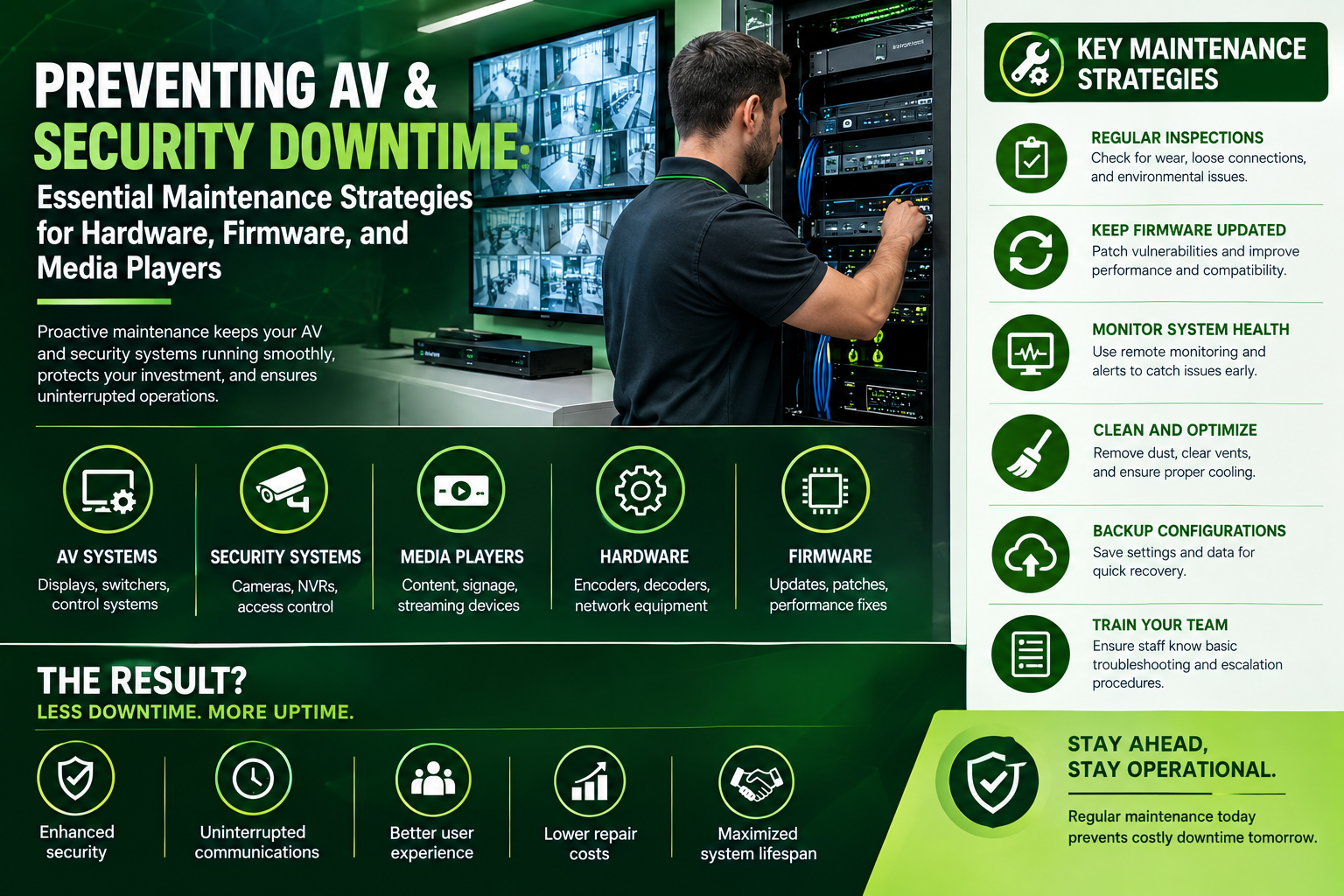
Preventing AV and Security Downtime: Essential Maintenance Strategies for Hardware, Firmware, and Media Players
System downtime in commercial AV and physical security isn't just an inconvenience—it leads to security vulnerabilities, interrupted meetings, and costly emergency service calls. Hardware fails, firmware becomes outdated, and digital signage media players freeze when systems are left unmaintained. Implementing proactive maintenance strategies—including thermal management, automated patch schedules, and remote device monitoring—is critical to keeping your infrastructure online. Discover essential maintenance protocols and learn how Low Voltage Tech Solutions keeps your commercial AV and security networks running seamlessly.
In modern commercial facilities, Audio-Visual (AV) systems and physical security networks are business-critical infrastructure. A crashed digital signage display in a retail environment damages brand reputation; a frozen media player in a corporate boardroom halts executive decision-making; and an offline IP camera or access control panel leaves an entire building vulnerable to security breaches.
Despite their importance, these systems are often treated with a "set it and forget it" mindset. Without proactive upkeep, hardware degradation, software bugs, and network drift will lead to system failures. Implementing a structured maintenance strategy for hardware, firmware, and media players is the most effective way to eliminate unexpected downtime and extend equipment lifespan.
Essential Maintenance Strategies for High-Availability Systems
Preventing technology failures requires moving from reactive repairs to routine, preventative maintenance across three core layers:
1. Physical Hardware Maintenance & Thermal Management
Commercial electronics run continuously, generating internal heat that slowly degrades components if left unchecked.
Ventilation & Dust Removal: Racks, AV receivers, network switches, and NVRs pull ambient air through cooling fans. Over time, dust accumulation acts as an insulator, driving up internal temperatures and causing hardware thermal shutdowns. Regular physical cleaning and fan inspection prevent premature component failure.
Cable Strain & Connection Audits: Loose terminations, strained patch cables, and damaged low-voltage connectors can cause intermittent signal loss in video feeds or power delivery issues over Power over Ethernet (PoE). Racks and terminal boxes should be regularly inspected to ensure secure connections and proper cable dressing.
Power Quality & UPS Testing: Unstable power causes sensitive AV and security endpoints to crash or corrupt memory. Uninterruptible Power Supplies (UPS) and power conditioners must be load-tested periodically to ensure battery backups activate during outages.
2. Systematic Firmware & Software Patching
Firmware controls how hardware interacts with operating systems and IP networks. Outdated firmware is a primary cause of system instability and security vulnerabilities.
Patch Testing & Deployment Schedules: Manufacturers frequently release firmware updates to patch security vulnerabilities, fix known memory leaks, and improve device compatibility. Updating equipment on a scheduled cycle prevents unexpected software bugs from taking down connected devices.
Vulnerability Mitigation: IP cameras, door controllers, and networked AV processors are endpoints on your corporate network. Unpatched devices can serve as entry points for cyber threats. Keeping firmware current protects both your physical security and network integrity.
Configuration Backups: Before applying updates to media players, Video Management Systems (VMS), or control processors, configuration files should be backed up. This ensures rapid recovery in the event of a failed update.
3. Media Player & Endpoint Health Management
Digital signage media players and AV encoders operate continuously and are uniquely susceptible to software freezes and storage corruption.
Automated Reboot Cycles: Media players left running indefinitely accumulate cached data that causes memory degradation. Scheduling automated, off-hours reboots keeps operating systems responsive and clears system memory.
Storage & Flash Memory Checks: Solid-state drives (SSDs) and local flash storage in media players wear down over time due to constant video caching. Monitoring storage health prevents sudden player lockups and corrupt media playback.
Bandwidth & Stream Monitoring: Networked media players rely on continuous data streams. Auditing network bandwidth usage ensures local switch ports are not bottlenecking high-definition content delivery.
How Volthound Prevents System Downtime
Managing maintenance across dozens of IP cameras, access control doors, media players, and boardroom AV systems requires specialized tools and technical expertise. Low Voltage Tech Solutions offers comprehensive maintenance and support services designed to keep your technology online and reliable:
Remote Monitoring & Predictive Maintenance: We deploy advanced network monitoring solutions that track the health, temperature, and status of your AV and security endpoints in real time. Potential failures—such as an overheating switch or a struggling media player—are flagged and addressed before they cause system downtime.
Scheduled Preventative Maintenance Protocols: Our certified technicians perform routine physical inspections, fan and rack cleaning, cable testing, power audits, and firmware updates on a structured schedule—eliminating the burden on your internal IT team.
Rapid On-Site Support & Service Level Agreements (SLAs): When hardware fails, response time matters. Low Voltage Tech Solutions provides dedicated SLAs with prioritized dispatch times, spare inventory management, and fast turnarounds to minimize operational impact.
Protect your investments and eliminate technology interruptions. Contact Volthound today to establish a customized preventative maintenance plan for your commercial AV and security infrastructure.
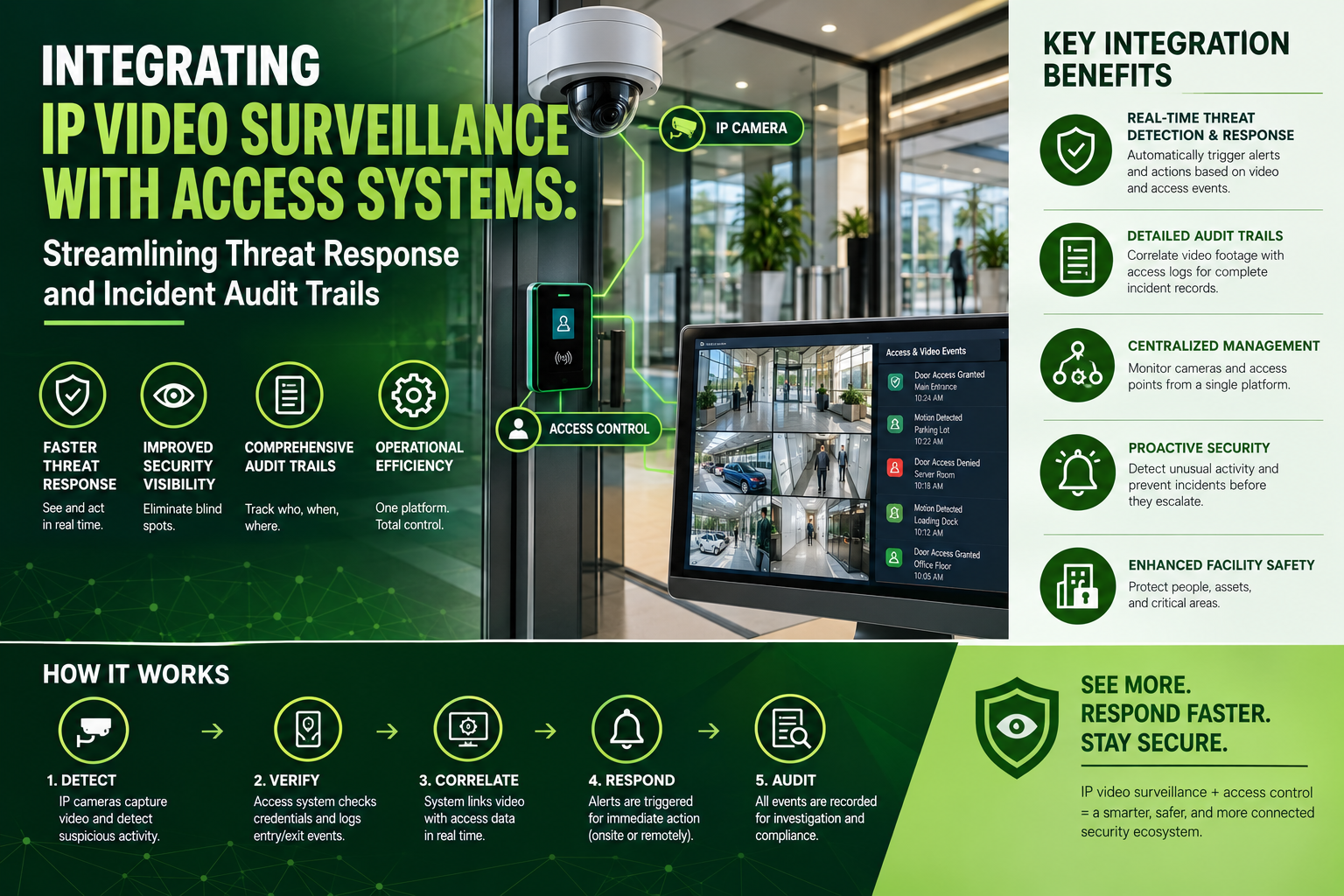
Integrating IP Video Surveillance with Access Systems: Streamlining Threat Response and Incident Audit Trails
When access control and IP video surveillance operate in silos, security teams are left piecing together incomplete data during a breach. Unifying these two critical systems changes the dynamic: door alarms instantly trigger PTZ cameras to lock onto point-of-entry threats, while card swipes produce real-time visual verification. Integrating IP video with access control builds verifiable incident audit trails, eliminates false alarms, and accelerates emergency response times. Discover how Low Voltage Tech Solutions designs and deploys fully integrated physical security ecosystems engineered to protect your facility, workforce, and compliance posture.
In modern physical security, operating access control and video surveillance as isolated systems creates critical blind spots. When a door is forced open or a card reader denies entry, traditional access control logs the event as a text-based timestamp. Without immediate, linked video, security teams must manually search through hours of footage to identify who triggered the alarm or assess whether an active threat exists.
Integrating IP video surveillance with IP-based access control systems eliminates these friction points. By establishing a unified physical security platform, facilities can automate threat detection, speed up emergency responses, and maintain complete, visual audit trails for compliance and investigation.
The Power of Integration: Moving from Reactive to Automated Security
Unifying access control and IP video surveillance transforms physical security from a passive recording tool into an active threat response mechanism. Instead of managing separate software interfaces, operators control both credential management and visual monitoring through a single glass pane.
Instant Visual Verification: Every time an employee or visitor swipes a badge, the system correlates the event with the nearest IP camera's live feed. Security personnel can visually confirm in real time that the person using the card matches the identity profile on file, stopping badge-sharing or tailgating immediately.
Automated PTZ Camera Positioning: When a high-priority event occurs—such as a forced door, an glass-break detection, or an invalid credential attempt—the system automatically commands nearby Pan-Tilt-Zoom (PTZ) cameras to focus directly on the point of entry. Operators receive a live video pop-up showing the exact location of the alert.
Streamlined Lockdown Protocols: In active emergency situations, unified systems provide situational awareness across the entire footprint. Security managers can trigger automated room or building lockdowns from the central management platform while maintaining continuous visual tracking of egress routes and common areas.
Accelerating Incident Audits and Compliance Reporting
When an incident occurs—whether a theft, unauthorized entry, or a workplace safety breach—time is of the essence. Searching through disconnected systems for evidence is slow and prone to human error.
An integrated platform ties access log entries directly to corresponding video clips. Clicking on a single log entry, such as "Door 3 Forced Open at 10:14 AM," instantly launches the recorded video clip from five seconds before the alert to ten seconds after.
Complete Evidence Chains: Forensic video clips stamped with verified access control metadata provide indisputable proof for internal investigations, insurance claims, and law enforcement requests.
Simplified Compliance Auditing: Regulated industries (such as healthcare, finance, utilities, and data centers) must demonstrate strict access monitoring. Integrated systems auto-generate compliance reports complete with timestamped visual proof of compliance across restricted doors.
Reduced False Alarm Overhead: Unverified alarms consume valuable staff resources and risk unnecessary emergency dispatch fees. Integrated video lets remote guards quickly verify whether a door alarm was triggered by an intruder or simply an employee holding a door open too long.
How Volthound Integrates Your Security Ecosystem
Deploying an integrated IP video and access control architecture requires extensive expertise in structured cabling, network bandwidth management, and software configuration. Low Voltage Tech Solutions provides end-to-end integration services tailored to your operational needs:
Unified System Architecture & Network Design: We design low-voltage infrastructures capable of handling high-bandwidth IP video streams and real-time access data across dedicated, secure VLANs—preventing network bottlenecks and data dropouts.
Hardware & VMS Integration: Whether you are deploying new IP cameras and smart readers or retrofitting existing systems, our certified technicians ensure seamless integration between your Access Control Software and Video Management System (VMS).
Scalable Infrastructure Deployment: From pulling certified Cat6/Cat6A cabling and installing low-voltage power supplies to mounting IP door controllers and smart cameras, we deliver turn-key installations engineered for zero downtime and future expandability.
Upgrade your security posture from reactive monitoring to an automated, fully integrated defense system. Contact Volthound today to discuss how we can unify your IP video surveillance and access control systems.
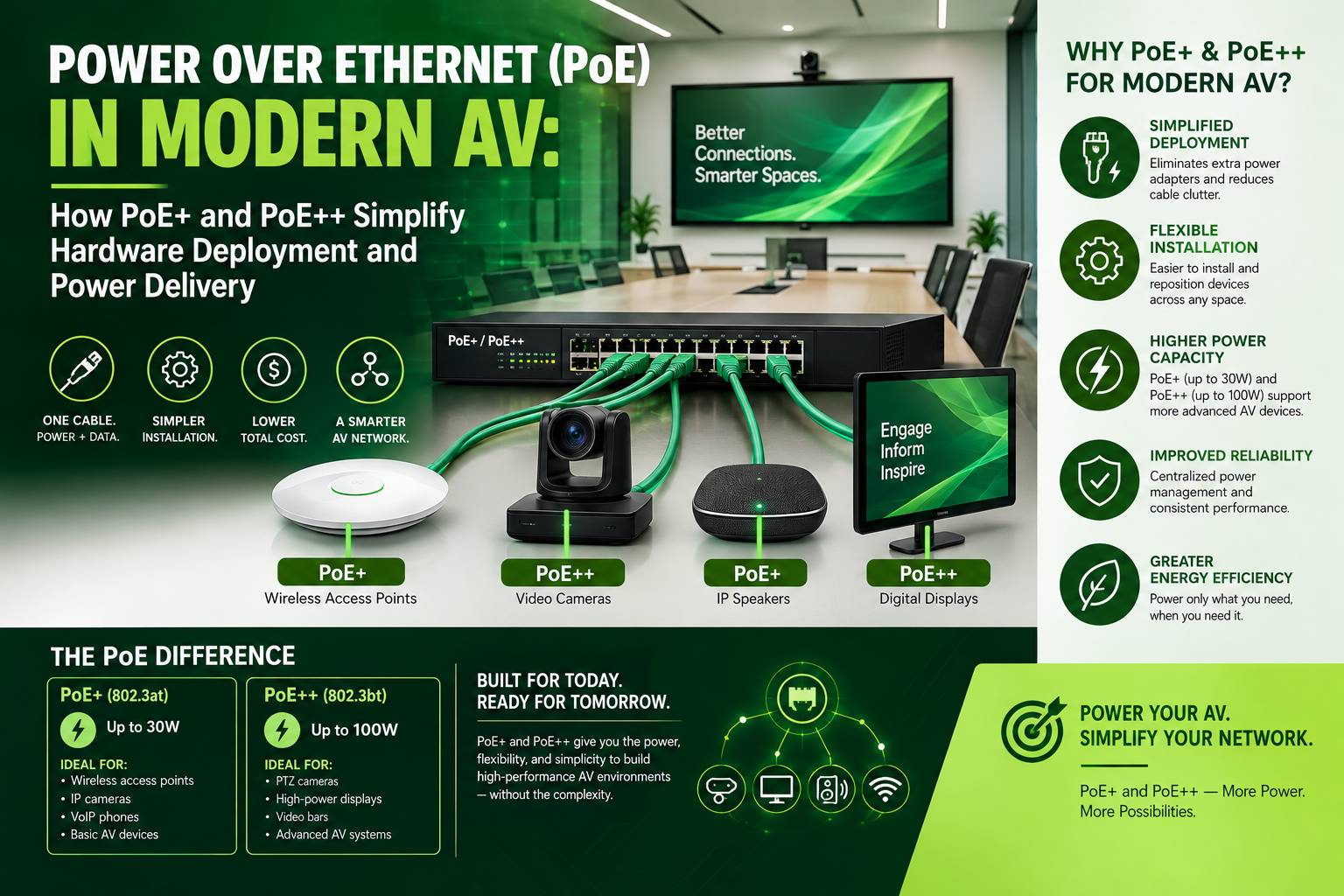
Power over Ethernet (PoE) in Modern AV: How PoE+ and PoE++ Simplify Hardware Deployment and Power Delivery
Traditional AV installations often require a tangled web of video lines, control wiring, and dedicated high-voltage AC electrical outlets at every endpoint. Power over Ethernet (PoE) changes the game by consolidating gigabit-speed data, control signals, and up to 90W of electrical power into a single standard Cat6 line. From powering 4K PTZ cameras to interactive displays, explore how PoE+ and PoE++ eliminate high-voltage conduit, cut installation costs, and give IT teams total remote control over their AV systems—and how Low Voltage Tech Solutions helps you deploy it effortlessly.
Power over Ethernet (PoE) transforms commercial Audio-Visual (AV) infrastructure by consolidating high-speed data, control signals, and electrical power into a single standard Category cable (Cat5e, Cat6, or Cat6A). Traditional AV installations required a tangled web of heavy copper video cables, balanced audio lines, proprietary control wiring, and dedicated high-voltage AC electrical outlets at every endpoint. By migrating power and signal distribution to a unified IP network, PoE eliminates expensive electrical conduits, cuts installation time, and provides centralized control over the entire AV ecosystem.
The Evolution of PoE: From Basic Controls to High-Demand AV
As network switch technology has advanced, the Institute of Electrical and Electronics Engineers (IEEE) has progressively increased power delivery limits across standard twisted-pair cabling. Each successive standard unlocks a broader class of AV hardware that can be powered directly over the network:
Standard PoE (IEEE 802.3af): Delivering up to 15.4 Watts at the switch port and approximately 12.95 Watts to the connected device, standard PoE opened the door for initial network integration. In AV environments, this level of power is ideal for low-draw equipment such as IP-based boundary microphones, simple wall-mounted room scheduling panels, keypads, and basic intercom systems.
PoE+ (IEEE 802.3at): Doubling the available power delivery, PoE+ supplies up to 30 Watts at the source and 25.5 Watts at the receiving endpoint over two cable pairs. This increase allows for the deployment of static high-definition and 4K IP cameras, dual-band Wi-Fi access points, and compact AV-over-IP encoders/decoders that stream uncompressed video across local networks without requiring external wall warts.
PoE++ Type 3 (IEEE 802.3bt): Utilizing all four twisted pairs within the Category cable, Type 3 PoE++ provides up to 60 Watts at the switch port and delivers 51 Watts to the device. This extra headroom is essential for motor-driven Pan-Tilt-Zoom (PTZ) camera systems, Dante or AES67 network-active loudspeakers with built-in amplifiers, and small-scale video wall processors.
PoE++ Type 4 (IEEE 802.3bt): Representing the pinnacle of low-voltage power delivery, Type 4 supplies between 90 and 100 Watts at the source, yielding over 70 Watts of usable power at distances up to 100 meters. This high output powers heavy-duty AV devices like interactive touch-screen displays, high-output multi-channel soundbars, outdoor digital signage equipped with internal heating elements, and high-performance AV-over-IP transceivers.
Key Operational Advantages of PoE+ and PoE++ in AV Environments
Deploying high-power PoE standardizes the installation process and adds capabilities that high-voltage electrical setups cannot match:
Elimination of High-Voltage Infrastructure: Standard AC power runs require certified electricians, dedicated junction boxes, and heavy metal conduit. Low-voltage Category cable can be pulled safely through plenum spaces and wall cavities by network technicians, reducing installation costs and shortening project timelines.
Centralized Power Management and Remote Monitoring: Because power flows directly from managed network switches, system administrators gain full visibility into energy consumption. If an AV endpoint freezes, IT staff can perform a hard reboot remotely by cycling power to the specific switch port, eliminating expensive on-site service calls.
Flexibility and Scalability: Reconfiguring a conference room, moving digital signage, or expanding a lecture hall becomes a plug-and-play process. Adding a new display or camera only requires dropping an additional Cat6 line to the nearest network rack, rather than rewiring AC branch circuits.
Cleaner Racks and Sleek Room Aesthetics: Combining audio, video, control, and power into a single RJ45 connection removes cable clutter behind wall-mounted displays, inside ceiling plenums, and under conference tables, maintaining clean architectural lines.
How Low Voltage Tech Solutions Simplifies Deployment
While PoE offers clear structural benefits, deploying high-wattage PoE+ and PoE++ across complex facilities introduces engineering challenges such as power budgets, thermal buildup, and cable distance limitations. Low Voltage Tech Solutions provides end-to-end expertise to ensure your modern AV deployment operates smoothly:
Power Budget Planning: High-power PoE switches have finite power pools. Our engineers compute the total peak draw for every endpoint—accounting for startup surges from motorized PTZ cameras or high-volume soundbar bursts—preventing switch overload and system shutdowns.
Thermal Management and Shielded Cabling: Delivering up to 90 Watts over four pairs generates heat within dense cable bundles, which can degrade data throughput over long runs. Low Voltage Tech Solutions uses certified Cat6A shielded cabling, proper bundle sizing, and ambient thermal calculations to maintain maximum data speeds and prevent cable degradation.
Turnkey Infrastructure Integration: From selecting enterprise 802.3bt switches to pulling, terminating, testing, and labeling every drop, we handle the full life cycle of your low-voltage cabling. We align your AV system design with IT network best practices for long-term reliability and easy scalability.
Contact Low Voltage Tech Solutions today to discover how PoE+ and PoE++ can streamline your next AV installation.
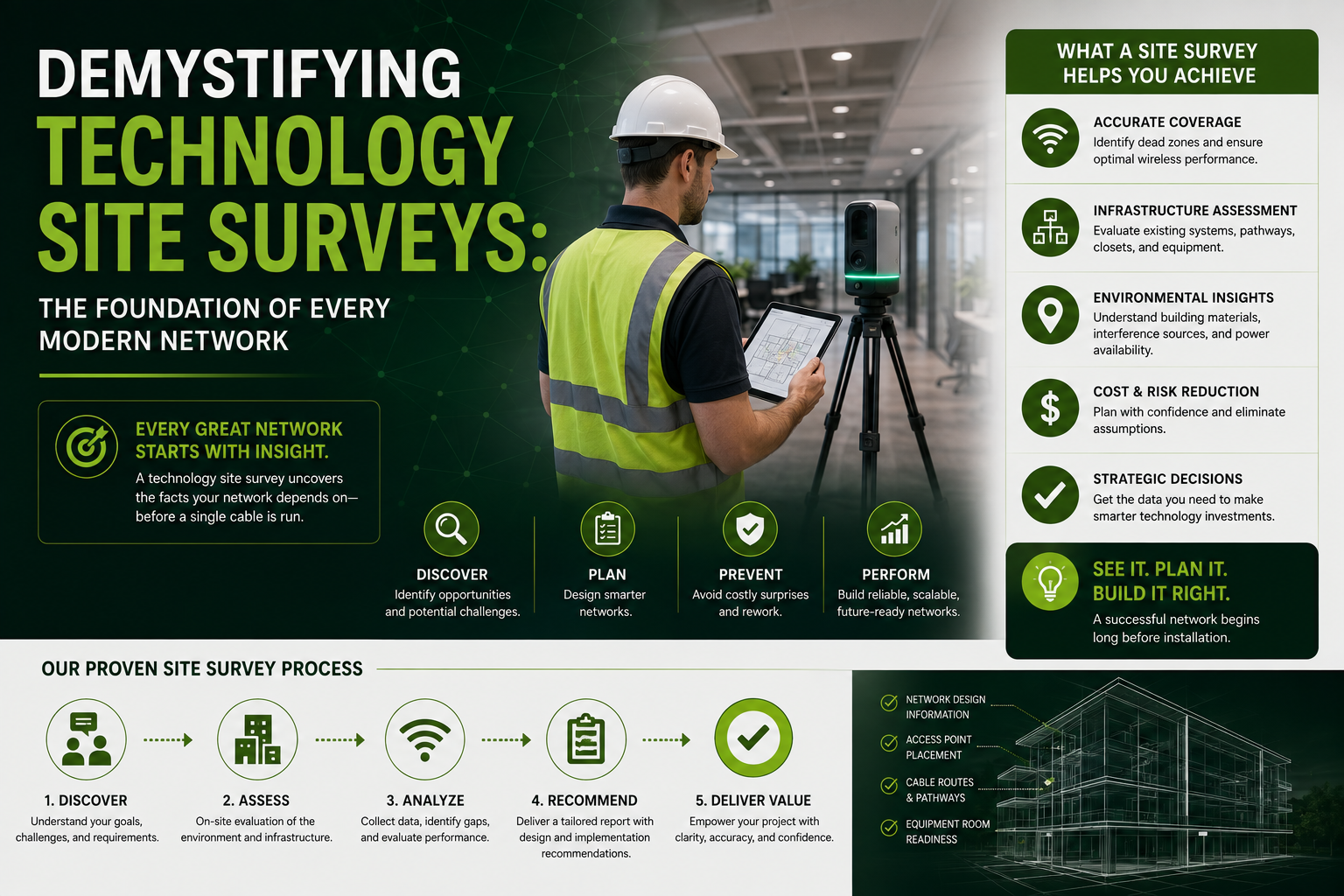
Demystifying Technology Site Surveys: The Foundation of Every Modern Network
Before laying a single cable or mounting an access point, a thorough technology site survey lays the groundwork for a secure, high-performing network. Explore how physical space assessments prevent costly change orders and learn how Low Voltage Tech Solutions helps organizations design reliable, scalable infrastructure from the ground up.
In today’s digital-first business environment, a company's network infrastructure is as critical as its physical foundation. From cloud computing and high-definition video conferencing to enterprise Wi-Fi and automated access control, modern tools demand fast, reliable connectivity.
However, many businesses plunge into IT upgrades or expansions without realizing that what looks great on paper can fall apart during installation. Dead zones, signal interference, obsolete wiring, and code non-compliance can stall operations and inflate budgets.
This is where a Technology Site Survey becomes indispensable—and why partnering with experts like Volthound makes all the difference.
What Is a Technology Site Survey?
A technology site survey is a comprehensive, on-site assessment of a facility’s physical environment and existing technology infrastructure. Before laying a single cable, mounting a surveillance camera, or installing an access point, low-voltage technicians walk the space to analyze layout, physical constraints, environmental variables, and connectivity requirements.
A thorough survey covers several core layers:
Physical Infrastructure & Pathways: Evaluating existing Main Distribution Frames (MDF) and Intermediate Distribution Frames (IDF), cable trays, conduit capacity, and ceiling/wall compositions.
Environmental & Power Factors: Checking ambient temperature, ventilation, power availability, grounding, and potential Electromagnetic Interference (EMI) from heavy machinery.
Wireless & RF Heatmapping: Measuring signal strength, wall attenuation, and channel congestion to design optimal Wi-Fi or Distributed Antenna System (DAS) coverage.
Safety & Code Compliance: Ensuring cable pathways adhere to local building codes, fire stopping requirements, and ADA/OSHA guidelines.
The Hidden Risks of Skipping a Site Survey
Skipping a preliminary survey before an IT installation, office buildout, or system upgrade creates preventable risks:
Unbudgeted Change Orders: Unforeseen structural barriers, such as solid concrete walls or overcrowded conduit runs, delay projects and drive up labor costs mid-installation.
Performance Bottlenecks: Placing Wi-Fi access points near metal beams or running unshielded copper cables next to high-voltage power lines leads to dropped connections and signal degradation.
Safety Violations: Non-compliant low-voltage wiring can fail fire inspections, resulting in costly retrofits or project sign-off delays.
How Volthound Delivers Value
Volthound bridges the gap between high-level network design and real-world physical installation. Rather than applying generic, one-size-fits-all templates, their team treats every facility as a unique ecosystem.
1. Tailored Architectural Assessments
Low Voltage Tech Solutions evaluates your space with long-term goals in mind. Whether you are setting up a commercial office, a retail environment, or an industrial warehouse, their technicians analyze physical entry points, ceiling heights, and structural materials to plan efficient cable routes and device placement.
2. Enterprise Wi-Fi & RF Heatmapping
Dead zones hinder productivity. Low Voltage Tech Solutions conducts active and predictive wireless heatmapping to determine exact placements for Wireless Access Points (WAPs). This guarantees seamless roaming and consistent throughput across your entire facility.
3. Comprehensive Structured Cabling & Rack Audits
A network is only as strong as its physical backbone. Low Voltage Tech Solutions inspects existing Cat5e/Cat6 runs, fiber optic backbones, patch panels, and server racks. They identify outdated components, eliminate redundant wiring, and design organized pathways that support future bandwidth demands.
4. Integrated Physical Security & AV Scoping
Modern low-voltage infrastructure handles data, voice, surveillance cameras, access control systems, and audio/visual hardware on unified networks. During the site survey, Low Voltage Tech Solutions identifies ideal camera angles, door controller placements, and AV display paths to ensure full coverage without clutter.
5. Clear Documentation & Accurate Scoping
Following a survey, Volthound provides clients with clear, detailed reports outlining existing conditions, proposed component layouts, cable pathways, and exact material requirements. This transparent scope eliminates guesswork, keeps bids accurate, and prevents unexpected mid-project costs.
When Should You Request a Technology Site Survey?
You should schedule a site survey whenever physical infrastructure needs to adapt to operational changes:
Moving to a new office or facility: Verify that the incoming space supports your operational technology before moving day.
Upgrading legacy systems: Audit older cabling to determine whether it supports modern High-Power PoE (Power over Ethernet) or multi-gigabit speeds.
Expanding physical footprints: Scale wireless, surveillance, or access systems into new floors or adjacent buildings.
Experiencing network reliability issues: Locate sources of physical signal degradation or hardware interference.
Building a Future-Proof Foundation
A technology site survey turns potential installation issues into managed, straightforward plans. Partnering with specialists like Volthound ensures that your cabling infrastructure, security hardware, and wireless connectivity are designed correctly from day one.
Investing in a thorough site survey protects your budget, accelerates deployment schedules, and gives your business a reliable network built to scale.
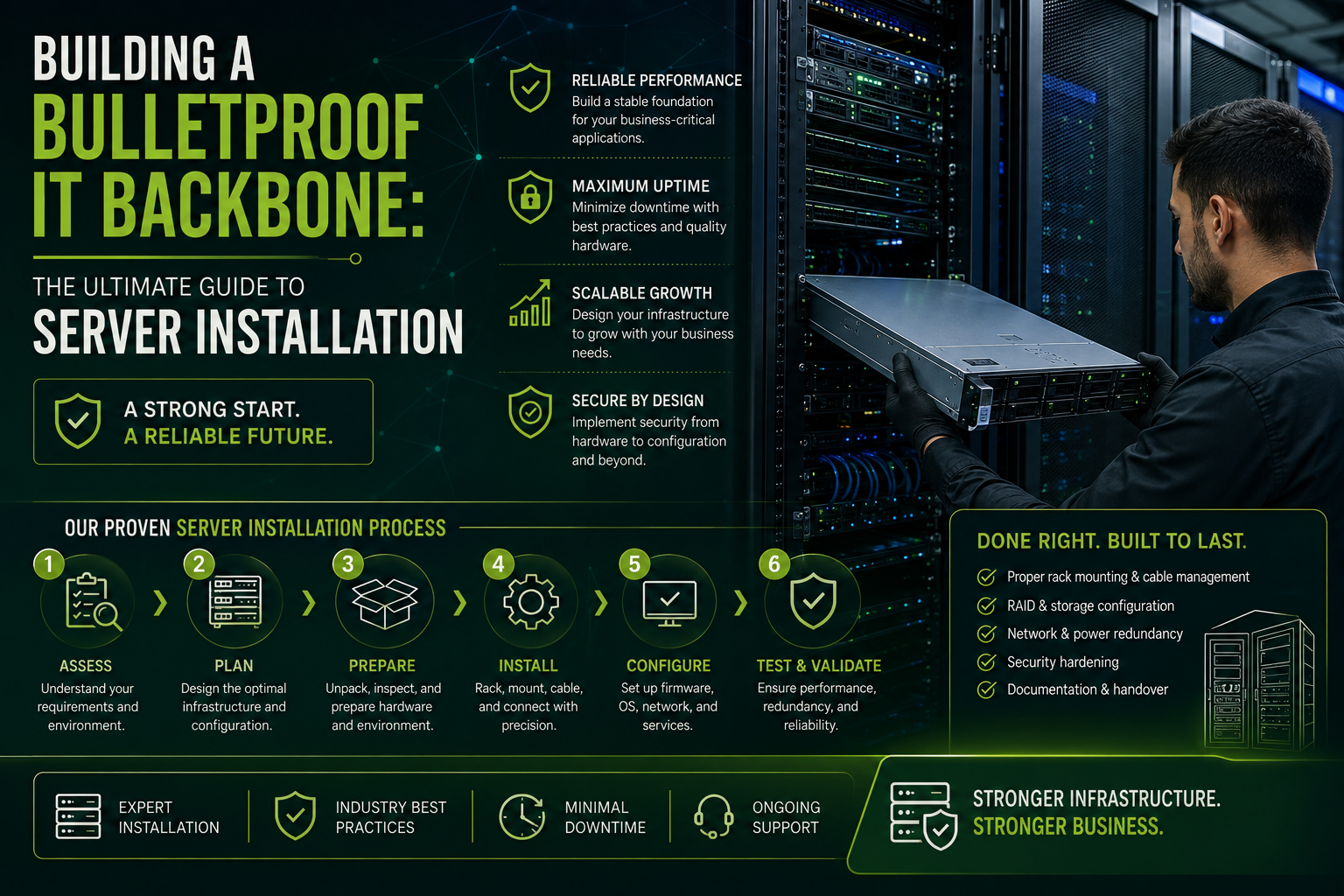
Building a Bulletproof IT Backbone: The Ultimate Guide to Server Installation
A reliable server infrastructure depends on more than just high-end software—it requires physical precision, thermal management, and certified structured cabling. In our latest guide, we break down the four essential pillars of a successful server deployment and highlight how Low Voltage Tech Solutions helps businesses design clean, scalable, and secure server environments built for long-term uptime.
In today’s digital-first economy, your server infrastructure is the central nervous system of your entire business. Whether you are hosting critical enterprise applications, managing customer databases, or maintaining local file storage, your servers dictate the speed, security, and stability of your daily operations.
Setting up a new server involves much more than simply unboxing hardware and plugging in a few cables. It requires meticulous physical planning, precision network integration, and strategic post-installation maintenance.
The 4 Pillars of a Successful Server Installation
Setting up a high-performance server environment requires attention to four crucial stages:
1. Environmental & Physical Infrastructure
Before software is even touched, the physical space must be prepared. Servers generate significant heat and demand consistent electrical flow.
Thermal Management: Cold and hot aisle layouts prevent thermal throttling.
Power Redundancy: Uninterruptible Power Supplies (UPS) and dedicated circuits prevent data corruption during utility outages.
Rack Elevation: Server cabinets must be weighted, balanced, and secured for proper airflow and safety.
2. Structured Low-Voltage Cabling
A server’s processing power is useless if data gets choked in transit. High-performance Category 6A or Fiber Optic cabling provides the low-latency backbone required for heavy server traffic. Proper cable routing, patch panel termination, and color-coded labeling keep the server room serviceable.
3. Network Configuration & Security Isolation
Connecting a server to your network means assigning static IP configurations, establishing VLANs (Virtual Local Area Networks) to segregate server traffic, and configuring firewalls. Segmenting server traffic prevents unauthorized network lateral movement during a security breach.
4. Operating System & RAID Deployment
Configuring physical disk arrays via RAID (Redundant Array of Independent Disks) provides hardware fault tolerance. Once storage is configured, the server OS (such as Windows Server, Linux, or VMware ESXi) is deployed alongside automated backup protocols.
How Volthound Simplifies the Process
Proper server deployment requires expertise bridging physical infrastructure (low-voltage cabling, racks, power) and hardware configuration. This is where Low Voltage Tech Solutions helps businesses build reliable, future-proof server environments.
End-to-End Infrastructure Design
Low Voltage Tech Solutions conducts a complete site assessment before unboxing hardware. They design custom server room layouts—planning rack elevations, overhead pathways, and environmental requirements tailored to your facility.
Certified Structured Cabling
Messy "spaghetti" wiring creates downtime risks and heat traps. Low Voltage Tech Solutions installs certified high-speed copper and fiber optic lines, patch panels, and organized wire managers. Every drop is tested and verified for maximum throughput.
Server Cabinet & Hardware Integration
From mounting heavy enterprise servers and SAN storage units to installing rack-mount PDU (Power Distribution Unit) systems and UPS backups, their team manages physical deployment efficiently and safely.
Scalable Growth Planning
A server system built only for today will fail tomorrow. Low Voltage Tech Solutions designs server deployments with modular pathways and additional rack capacity, allowing your infrastructure to scale seamlessly as your business grows.
Ready to Upgrade Your Infrastructure?
Don't let poor cabling, improper cooling, or inadequate physical installation hold back your technology investments. Partnering with specialists like Volthound ensures your servers are installed safely, neatly, and built for long-term performance.
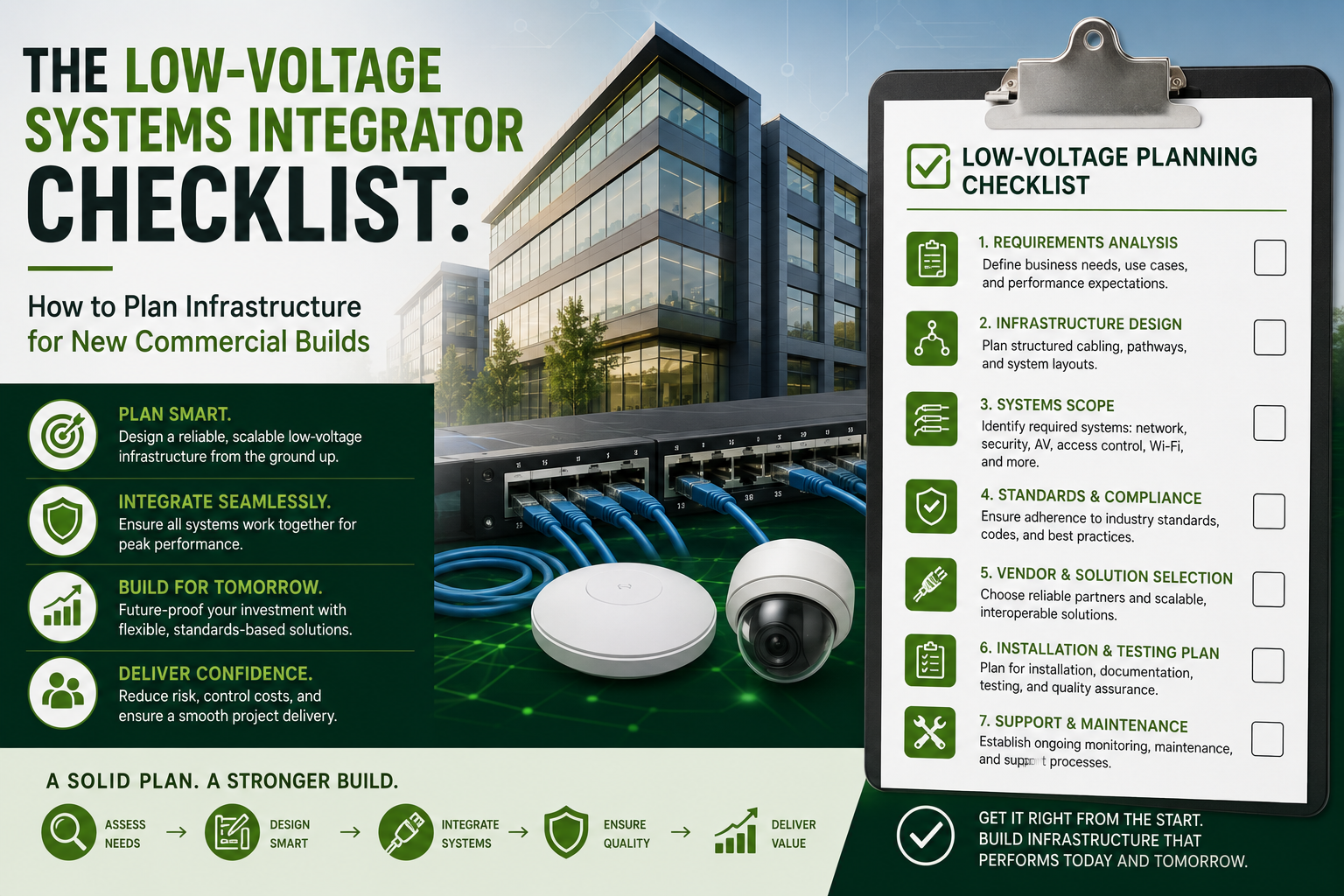
The Low-Voltage Systems Integrator Checklist: How to Plan Infrastructure for New Commercial Builds
Planning the low-voltage infrastructure for a new commercial build is critical to avoiding costly change orders and project delays. From MDF/IDF room sizing and structured Cat6A/Fiber cabling to IP security and Wi-Fi heatmapping, this comprehensive checklist covers every phase of construction. Learn how Low Voltage Tech Solutions bridges the gap between architects, contractors, and IT teams to deliver future-proof, turn-key builds.
In modern commercial real estate, low-voltage infrastructure serves as the central nervous system of any smart facility. It powers and connects everything from high-speed data networks and Wi-Fi coverage to IP surveillance cameras, access control systems, and conference room audiovisual equipment.
Historically, low-voltage planning was treated as an afterthought—something tacked onto the end of a construction project alongside paint touch-ups and light fixtures. In today's hyper-connected environment, failing to integrate low-voltage design into early architectural schematics frequently leads to overcrowded conduits, inadequate equipment room space, severe delays, and costly change orders.
Here is a comprehensive checklist for planning your commercial low-voltage infrastructure, followed by how Low Voltage Tech Solutions empowers general contractors, architects, and business owners to execute these projects flawlessly.
The Low-Voltage Systems Integrator Master Checklist
Phase 1: Architectural Alignment & Space Allocation
Main & Intermediate Distribution Frame (MDF/IDF) Sizing: Ensure main telecom rooms (MDF) and sub-closets (IDF) are centralized and sized appropriately to adhere to strict cable distance limits—specifically the 90-meter (295-foot) limit for Cat6/Cat6A copper runs.
Dedicated Environmental Controls: Equipment rooms generate significant thermal output; allocate dedicated HVAC cooling and ventilation early to prevent network equipment failure or thermal throttling.
Pathway & Conduit Layouts: Map cable trays, J-hooks, and conduit paths in early mechanical, electrical, and plumbing (MEP) schematics to guarantee proper physical separation from high-voltage electrical lines, preventing signal degradation and electromagnetic interference.
Power & Emergency Backup: Design dedicated circuit requirements and allocate physical rack space for Uninterruptible Power Supply (UPS) units to ensure continuous uptime during utility power interruptions.
Phase 2: System Architecture & Specification
Structured Cabling Backbone: Select solid-core Cat6A or Fiber Optic cabling to future-proof bandwidth requirements for 10Gbps+ networking and heavy Power-over-Ethernet (PoE) demands.
Physical Security & Surveillance: Plan precise positioning for high-definition IP cameras, access control door readers, intrusion sensors, and visitor management consoles.
Wireless Heatmapping & Coverage: Conduct predictive Wi-Fi heatmapping during design to determine ideal Access Point (AP) density and positioning before ceiling tiles or drywall go up.
Audio/Visual & Collaboration Spaces: Map out floor boxes, wall backing boards, and ceiling drops for video conferencing systems, interactive displays, and digital signage.
Building Management Systems (BMS) Integration: Ensure low-voltage pathways support smart lighting controls, energy management, and emergency notification/paging systems.
Phase 3: Construction Rough-In, Commissioning & Handover
Pre-Drywall Inspections: Verify cable pulls, bend radius compliance, proper cable labeling, and fire-stop sleeve installations before wall cavities are enclosed.
Testing & Certification: Perform Fluke certification testing across all copper and fiber drops to verify full performance standards, ensuring complete OTDR reports are delivered.
As-Built Documentation: Secure updated CAD/BIM drawings detailing exact cable paths, drop locations, and rack elevation layouts for future maintenance and expansion.
How Low Volthound Transforms Client Projects
Navigating the complexities of low-voltage technology requires deep technical knowledge and seamless coordination across multiple construction trades. Volthound specializes in bridging the gap between general contractors, architects, and internal IT teams to turn complex technical requirements into a streamlined, turn-key reality.
1. Early Architectural & BIM Integration
By joining project design meetings during early schematic phases, Low Voltage Tech Solutions builds detailed CAD and BIM layout plans. This proactive coordination identifies spatial conflicts with electrical conduits or HVAC ductwork before construction begins, saving thousands of dollars in potential change orders and preventing schedule delays.
2. Comprehensive Turn-Key Systems
Instead of managing multiple subcontractors for cabling, security, and AV, clients gain a single point of accountability. Low Voltage Tech Solutions handles everything from structured fiber and copper cabling to NDAA-compliant IP surveillance, smart card/biometric access control, and unified communications platforms.
3. Rigorous Quality & Fluke-Certified Testing
Performance reliability is non-negotiable. Low Voltage Tech Solutions tests every single network drop with enterprise Fluke certification tools. Clients receive documented proof that their physical infrastructure meets strict industry specifications, securing maximum manufacturer warranties on all hardware and cabling.
4. Future-Proofed & Scalable Infrastructure
Commercial facilities undergo continuous change as tenant requirements and workforce demands evolve. Low Voltage Tech Solutions designs modular server racks, flexible cable pathways, and scalable network architectures that allow business technology to expand easily without requiring full infrastructure overhauls.
Planning a New Commercial Build or Renovation?
Partner with Volthound to ensure your building's technological foundation is planned and installed right from day one.
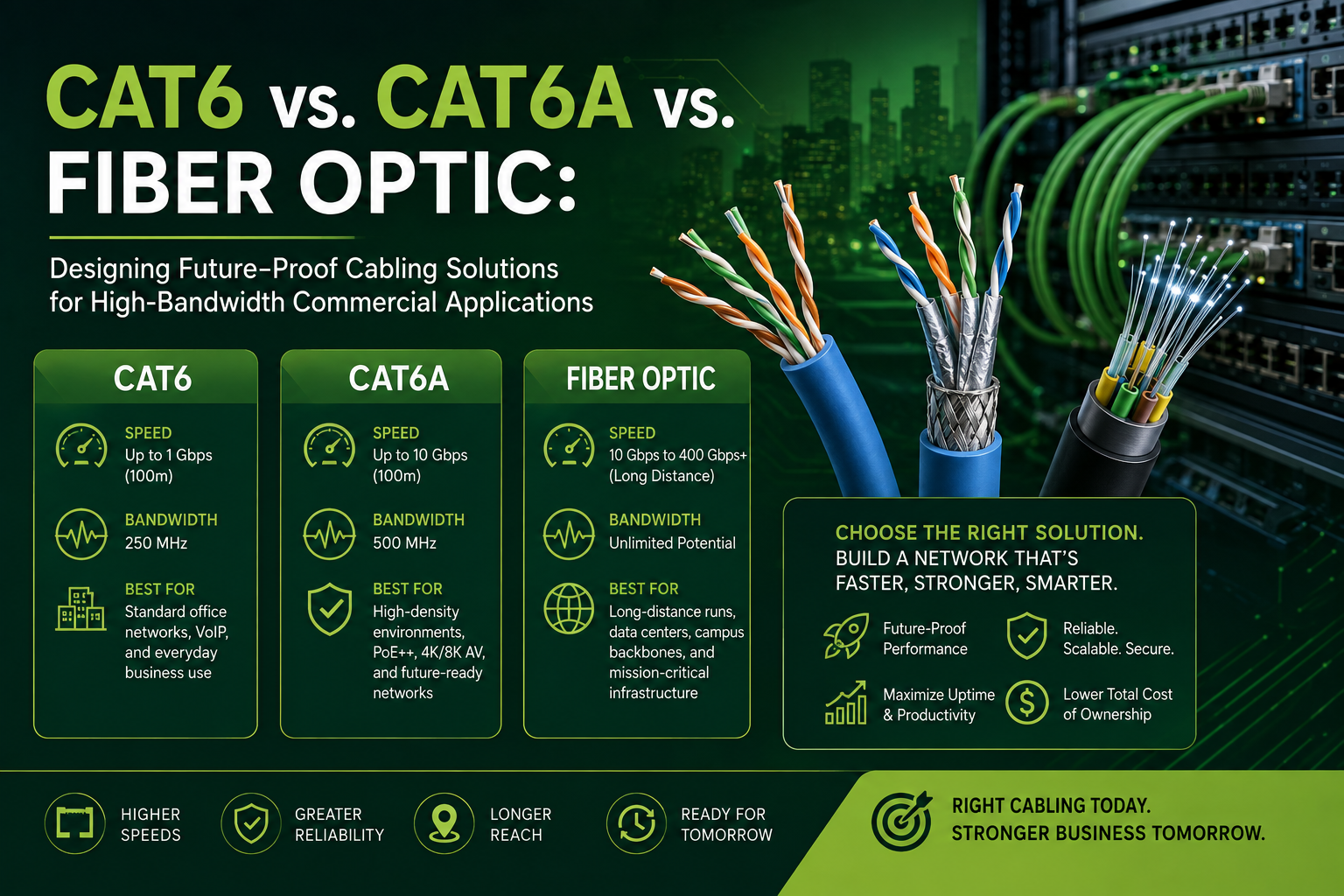
Cat6 vs. Cat6A vs. Fiber Optic: Designing Future-Proof Cabling Solutions for High-Bandwidth Commercial Applications
As commercial facilities deploy high-density Wi-Fi 6/7, 4K security feeds, and high-wattage PoE++ devices, underlying network infrastructure faces unprecedented demand. Choosing between Cat6, Cat6A, and Fiber Optic cabling determines whether your network easily scales over the next decade or requires costly rip-and-replace upgrades.
Discover how Cat6, Cat6A, and Fiber compare across bandwidth, distance, and interference, and learn how Low Voltage Tech Solutions designs customized, future-proof cabling plants tailored to your facility's operational goals.
As commercial enterprises expand their reliance on cloud processing, high-definition video conferencing, real-time security analytics, and high-powered Power over Ethernet (PoE++) devices, physical cabling infrastructure faces unprecedented demand.
Choosing between Cat6, Cat6A, and Fiber Optic cabling determines whether a network easily scales over the next decade or requires costly rip-and-replace upgrades. Understanding how these technologies compare enables businesses to design high-performance, future-proof network environments.
Technical Comparison Overview
Cat6
Max Bandwidth / Frequency: Up to 250 MHz
Max Data Speed: 1 Gbps up to 100 meters (10 Gbps up to 37–55 meters)
Max Channel Distance: 100 meters (328 ft)
Interference Resistance: Moderate (Unshielded twisted pair / internal spline)
PoE Compatibility: Supports standard PoE (802.3af) and PoE+ (802.3at)
Ideal Deployment Area: Basic office data drops, VoIP desk phones, point-of-sale terminals
Cat6A (Augmented)
Max Bandwidth / Frequency: Up to 500 MHz
Max Data Speed: 10 Gbps at full 100-meter distance
Max Channel Distance: 100 meters (328 ft)
Interference Resistance: High (Integrated spline, improved shielding against alien crosstalk)
PoE Compatibility: Superior heat dissipation designed for high-power PoE++ (up to 90W)
Ideal Deployment Area: High-density workstations, Wi-Fi 6/7 access points, PTZ security cameras
Fiber Optic (Single-Mode / Multi-Mode)
Max Bandwidth / Frequency: Terabit scale (GHz frequency range)
Max Data Speed: 10 Gbps up to 100+ Gbps
Max Channel Distance: Up to 10 km to 40 km+ (depending on transceivers and glass type)
Interference Resistance: Immune (Uses light signals; completely unaffected by electromagnetic interference)
PoE Compatibility: Cannot carry native power (requires hybrid power cables or remote power supplies)
Ideal Deployment Area: MDF-to-IDF backbone risers, inter-building campus connections, high-density data centers
Deep Dive: Selecting the Right Solution
1. Cat6: Budget-Friendly for Standard Drops
Standard Cat6 cabling remains a practical option for basic, low-density horizontal runs. While it handles gigabit traffic easily, its 10Gbps capabilities degrade significantly past 37–55 meters due to crosstalk.
Best used for: Standard office desks, point-of-sale (POS) systems, static VoIP desk phones, and entry-level IP surveillance.
2. Cat6A: The Baseline Standard for Future-Proof Copper
Cat6A doubles the frequency band to 500 MHz and sustains full 10Gbps speeds out to 100 meters. Crucially, its thicker gauge and robust shielding dissipate the heat generated by modern PoE++ standards—making it essential for devices drawing up to 90 watts of continuous power.
Best used for: Enterprise Wi-Fi 6E / Wi-Fi 7 access points, pan-tilt-zoom (PTZ) security cameras, smart building automation, and high-density workspace floors.
3. Fiber Optic: Infinite Scalability and Long-Distance Backbone
Unlike copper cabling, fiber optics transfer data using light pulses through glass strands, granting total immunity to electromagnetic interference (EMI) from heavy machinery, fluorescent lighting, or high-voltage lines.
Best used for: Inter-building connections, multi-floor backbone risers (connecting Main Distribution Frames to Intermediate Distribution Frames), and high-speed data center links.
How Volthound Helps Upgrade Facilities
Installing high-performance cable requires precise engineering, structured planning, and verified testing. Volthound provides commercial clients with an end-to-end pathway to next-generation connectivity:
Hybrid Architecture Design: Rather than recommending a single cable type across an entire facility, Low Voltage Tech Solutions designs optimized hybrid infrastructures. By deploying fiber optic backbones between telecommunication closets and running Cat6A to edge hardware, clients maximize performance while controlling installation budgets.
Thermal Management & PoE Safety: High-wattage PoE runs can cause thermal buildup inside dense cable bundles. The engineering team at Low Voltage Tech Solutions calculates pathway capacity and thermal loads to ensure compliance with NEC standards and prevent performance throttling.
TIA/EIA Certified Testing: Low Voltage Tech Solutions validates every drop using Fluke certification equipment, testing for attenuation, return loss, and alien crosstalk. Clients receive full certification reports ensuring their cabling plant operates at true rated speeds.
Structured Cable Management: Beyond running wire, Volthound organizes patch panels, MDF/IDF racks, cable trays, and pathway conduits with color-coded labeling. This lowers ongoing IT maintenance costs and simplifies future system updates.
Ready to Future-Proof Your Commercial Facility?
Upgrading structured cabling after walls are closed and ceiling tiles are set is far more disruptive and expensive than doing it right the first time. Whether retrofitting an existing space or building out a new facility, Volthound delivers custom infrastructure designed for high bandwidth, low latency, and seamless scalability.

The ROI of Enterprise Digital Signage: How Modern Commercial Displays Drive Sales, Engagement, and Brand Consistency Across Multi-Location Businesses
Static collateral and fragmented messaging are costing multi-location businesses revenue. Enterprise digital signage has evolved into a high-return growth engine—boosting point-of-sale conversions, lowering perceived wait times, and maintaining central brand control across distributed locations.
L Squared Digital Signage
However, visual software is only as powerful as the physical infrastructure supporting it. Discover how commercial displays drive measurable ROI and learn how Low Voltage Tech Solutions bridges the gap between digital content and hardware performance through certified structured cabling, specialized AV-over-IP routing, network segmentation, and turnkey enterprise deployments.
For multi-location businesses—from retail chains and quick-service restaurant (QSR) franchises to corporate campuses and health systems—static posters, printed banners, and decentralized messaging are silent revenue killers. Not only are traditional print campaigns expensive and slow to roll out, but they also offer zero flexibility to adapt to real-time market shifts.
Enterprise digital signage has transformed from a visual upgrade into a core business engine. By replacing static collateral with dynamic, commercial-grade digital displays, multi-unit operators are realizing significant returns on investment (ROI) across three primary vectors: direct sales lift, customer engagement, and uncompromising brand consistency.
The Three Pillars of Enterprise Digital Signage ROI
1. Measurable Sales Lift & Upselling Dynamics
Digital displays captivate visual attention far more effectively than static print, with visual information processed by the brain vastly faster than plain text. When strategically positioned at key points in the customer journey, commercial screens directly influence buying behavior:
Automated Upselling: QSRs using dynamic digital menu boards can highlight high-margin add-ons, adjust featured items based on time of day (dayparting), or trigger targeted promotions during slow traffic periods.
Point-of-Purchase (POP) Conversion: In retail environments, digital screens placed near checkout lanes or endcaps drive impulse buys by showcasing promotional video loops, inventory clearance items, or limited-time offers.
Dwell Time Optimization: Engaging motion graphics and real-time content increase dwell time in waiting areas, banks, and service centers, turning idle wait times into active sales opportunities.
2. High-Impact Engagement & Reduced Perceived Wait Times
Beyond driving transactions, commercial displays elevate the overall customer and employee experience:
Interactive Touch Points: Touch-screen kiosks allow customers to browse extended inventory (endless aisle), self-order, or self-navigate complex environments like hospitals or shopping centers.
Perceived Wait-Time Reduction: Showing dynamic content, social proof, live feeds, or educational videos reduces perceived wait times by up to 35%, boosting customer satisfaction scores.
Internal Corporate Communication: For enterprise offices, digital signage keeps distributed teams aligned on corporate goals, safety metrics, and executive announcements.
3. Centralized Brand Control Across Multi-Location Networks
Maintaining brand consistency across 10, 50, or 500+ locations is one of the toughest operational challenges for scaling organizations. Printed collateral often suffers from regional shipping delays, improper installation, or localized non-compliance.
With an enterprise-grade Digital Signage Content Management System (CMS), corporate marketing teams can:
Deploy nationwide campaigns simultaneously with a single click.
Schedule localized pricing, regional promotions, or language variations effortlessly.
Eliminate recurring print, shipping, and manual installation costs, creating an operational expenditure payback model over time.
The Hidden Complexity Behind the Screen
While the software and display hardware get most of the attention, the actual success of an enterprise digital signage rollout relies on something far more foundational: the physical low-voltage infrastructure.
A high-definition video wall or an interactive outdoor display kiosk is only as reliable as the cabling, power distribution, mounting hardware, and network bandwidth backing it up. Network latency, messy wiring, inadequate power delivery, or poor physical installation can cause offline displays, screen flickering, or dangerous wall hazards—instantly destroying your ROI.
This is where working with a specialized infrastructure partner becomes critical.
How Volthound Powers Digital Signage Success
Volthound bridges the gap between digital content and physical reliability. They engineer, deploy, and maintain the low-voltage foundation needed to keep multi-location commercial display networks running flawlessly.
1. Robust Structured Cabling & AV-over-IP Architecture
Commercial digital signage requires continuous, high-throughput data connectivity. Low Voltage Tech Solutions designs and installs certified Cat6/Cat6A structured cabling and fiber-optic backbones to ensure high-definition and 4K content streams seamlessly without buffering or dropouts. Utilizing AV-over-IP (Audio-Visual over Internet Protocol), they empower businesses to route content from centralized media rooms to any screen across vast facilities.
2. Enterprise Network Segmentation & Bandwidth Management
Digital signage media players shouldn't compete with guest Wi-Fi or point-of-sale (POS) systems for bandwidth. Low Voltage Tech Solutions configures dedicated, secure network segments and optimizes wireless access points to guarantee your signage media players maintain constant uptime without compromising your primary business network security.
3. Professional Commercial Mounting & Thermal Safety
Enterprise environments require more than off-the-shelf wall mounts. Low Voltage Tech Solutions provides precision installation for multi-panel video walls, outdoor high-brightness displays, and custom floor-to-ceiling kiosks. They ensure proper weight distribution, hidden cable management, structural compliance, and thermal ventilation so your hardware investment lasts for years.
4. Scalable Multi-Site Rollouts with Zero Business Disruption
Expanding into new locations or upgrading legacy hardware requires speed and consistency. Low Voltage Tech Solutions delivers turnkey installations across multi-location footprints, ensuring every site meets uniform technical standards with zero daytime operational disruption.
Unlocking True ROI
Digital signage is no longer an optional aesthetic choice; it is a revenue-generating, brand-building necessity for multi-location enterprises. However, the software on the screen is only as strong as the infrastructure behind it.
By partnering with Volthound, businesses gain a trusted technology partner that ensures every commercial display, video wall, and interactive kiosk is backed by certified structured cabling, secure networking, and professional AV integration—delivering maximum ROI day in and day out.
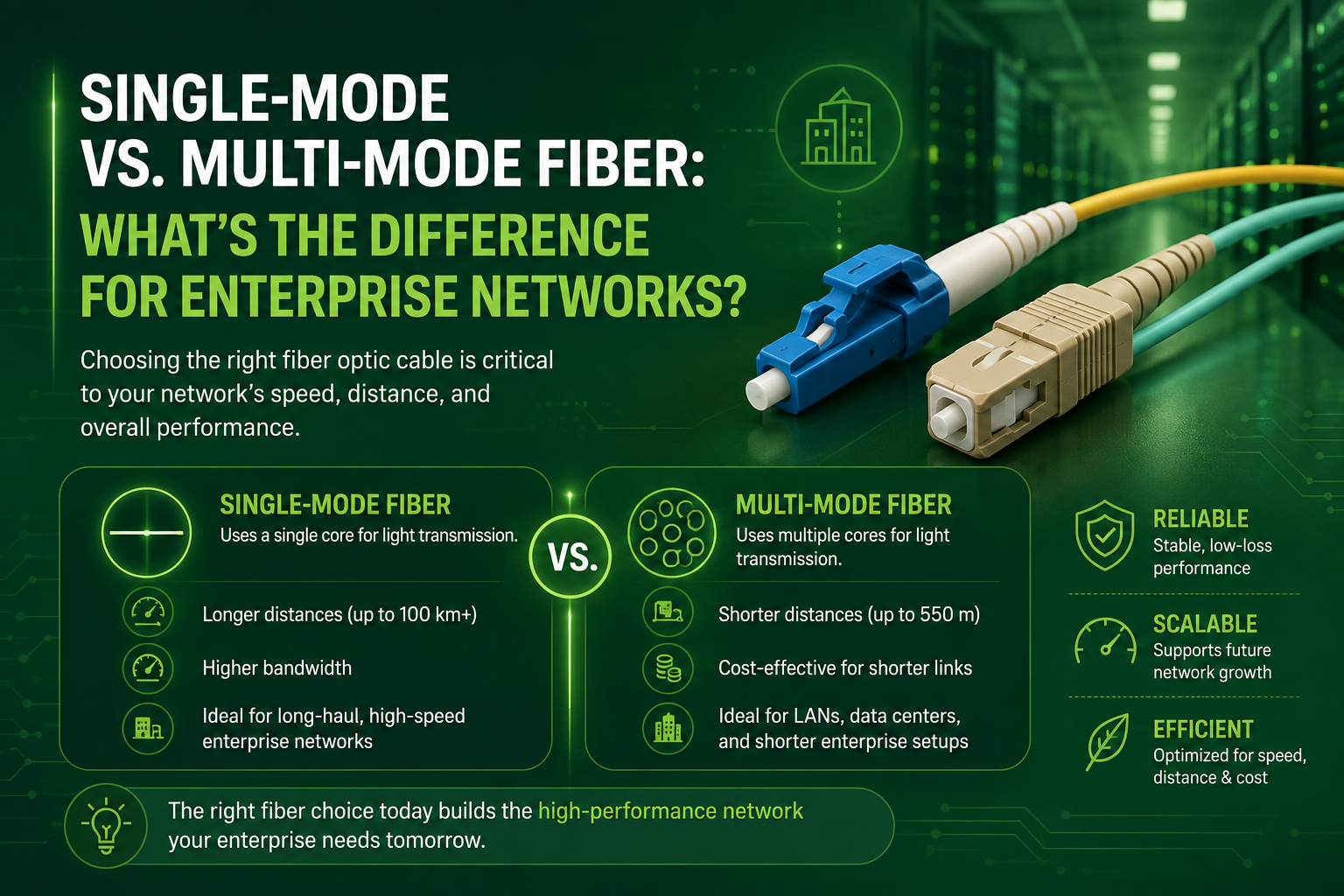
Single-Mode vs. Multi-Mode Fiber: What’s the Difference for Enterprise Networks?
Choosing between single-mode and multi-mode fiber is a critical decision for any enterprise network upgrade. While single-mode fiber delivers virtually unlimited bandwidth over long campus backbones, multi-mode fiber offers a cost-effective solution for short, high-density building runs. This guide breaks down the technical differences, distance limits, and optics pricing to help you build a fast, reliable, and scalable optical infrastructure.
Choosing between Single-Mode Fiber (SMF) and Multi-Mode Fiber (MMF) is one of the most critical decisions when designing an enterprise network backbone. Selecting the wrong fiber type can lead to unexpected budget overruns or premature bandwidth bottlenecks that force expensive infrastructure overhauls down the line.
Understanding the Core Technical Differences
At the heart of the single-mode versus multi-mode debate are light propagation, core construction, and optical component costs.
. CoreCSELs) or LEDs. Because the multi-mode core is large, these less precise, budget-friendly optical components can easily align with the fiber strands, lowering initial hardware expenses for active switches.
Campus Backbones vs. Short Intra-Building Runs
Deploying optical cabling effectively requires matching the physical cable characteristics to the geography of your facility layout.
Campus Backbones (Building-to-Building)
When linking separate facilities across a corporate, industrial, or educational campus, single-mode fiber is the undisputed standard. Because SMF maintains signal integrity over kilometers without requiring repeaters, it easily spans long outdoor conduit paths between buildings. Beyond supporting standard distances of 10 to 40 kilometers, single-mode cable provides unmatched future-proofing. When your network requires a jump from 10G to 100G or 400G, the single-mode fiber already in the ground can handle the increased throughput—you only need to upgrade the transceivers on each end.
Intra-Building Runs (MDF to IDF Closets)
For internal connections within a single structure—such as running links from the Main Distribution Frame (MDF) to floor Intermediate Distribution Frames (IDFs)—distances rarely exceed 300 meters. Over these shorter spans, multi-mode fiber (specifically modern grades like OM3, OM4, or OM5) delivers plenty of bandwidth, supporting 10G, 40G, and 100G speeds. Using MMF in these localized environments lets organizations save on switch optics across dozens of network closets without compromising internal speeds.
Balancing Cable Costs and Transceiver Budgets
Evaluating the return on investment for fiber infrastructure requires looking at the total cost of ownership rather than just the price of the bulk cable.
While single-mode glass cable is manufactured in massive quantities and is actually slightly cheaper per foot than multi-mode cable, its required optical transceivers cost significantly more. For a network with hundreds of active fiber ports inside a single building, choosing single-mode everywhere can sharply increase upfront switch hardware expenses.
Conversely, multi-mode cable carries a slightly higher per-foot cost due to its specialized multi-layer glass construction, but its compatible VCSEL transceivers are very economical. This makes multi-mode ideal for high-density intra-building links where optic costs dominate the project budget. For long-distance campus runs, however, single-mode is the only viable option despite transceiver costs, because multi-mode simply cannot carry gigabit traffic past its strict distance boundaries.
How Volthound Help Clients
Navigating fiber selection, pathway installation, and network turn-up requires experienced structured cabling engineering. Professional Volthound integrators assist clients across every stage of deployment:
Site Audits and Pathway Planning
Engineers evaluate physical pathways, existing conduit capacity, and exact cable distances to design a custom fiber topology that blends single-mode long-haul connections with multi-mode short-haul runs where appropriate.
Precision Fusion Splicing
Clean connections are essential for minimizing light loss (attenuation). Certified technicians use state-of-the-art fusion splicing machinery to melt and fuse optical fibers seamlessly, avoiding the high insertion loss associated with mechanical connectors.
Tier-1 and Tier-2 Certification Testing
Before active network equipment goes live, technicians utilize Optical Time-Domain Reflectometers (OTDR) and optical loss test sets to test every single strand. This process verifies that splice points, connectors, and cable runs operate well within manufacturer loss budgets.
Structured Enclosures and Cable Management
Professional installers organize fiber strands into high-density rack-mount enclosures, implementing proper bend-radius controls, strain relief, and standardized color-coded labeling to simplify long-term IT maintenance and troubleshooting.

Cable Termination & Splicing: The Foundation of Reliable Network Connectivity
Cable termination and splicing are essential to building a reliable network infrastructure. Properly terminated and spliced cables ensure strong signal transmission, minimize downtime, reduce signal loss, and improve overall network performance. With precision installation and quality workmanship, businesses can maintain secure, stable connectivity that supports their operations today and scales for future growth.
Behind every seamless video call, reliable security system, and fast cloud connection is a network of physical infrastructure working in the background. While high-quality Cat6A and fiber optic cables are designed to carry data efficiently, the reliability of the entire system also depends on how those cables are terminated, connected, and spliced.
Poorly terminated or improperly connected cables can lead to signal loss, intermittent connectivity, and difficult-to-troubleshoot network issues. Proper termination and splicing help maintain signal integrity, improve organization, and create an infrastructure that is easier to maintain and expand.
Termination vs. Splicing: Understanding the Essentials
Cable Termination:The process of connecting the end of a cable to a connector or network component, such as an RJ45 connector, patch panel, or keystone jack. Proper termination helps maintain signal quality while keeping network connections organized and secure.
Cable Splicing: The process of joining two sections of cable together. Splicing may be used to repair damaged cabling, extend existing connections, or restore infrastructure where a cable has been compromised. The appropriate splicing method depends on the cable type and application.
Modern Splicing Methods & Common Errors
Method
Best Used For
Key Advantage
Common Pitfall to Avoid
Fusion Splicing
Fiber Optic Networks
Creates a precise, low-loss fiber connection
Contamination or improper fiber preparation
Crimp & Heat-Shrink
Copper / Low-Voltage Applications
Provides a secure and protected connection
Improper crimping or damage to conductors
Mechanical Fiber Splicing
Fiber Repairs & Certain Applications
Quick installation without fusion equipment
Higher loss compared with properly performed fusion splicing
How Volthound Supports Reliable Connectivity
At Volthound, we understand that reliable connections are an important part of any technology infrastructure. Our technicians provide termination, splicing, testing, and cable-management services designed to help businesses maintain dependable network systems.
Professional Cable Termination & Splicing:
Our technicians properly prepare, terminate, and connect copper and fiber cabling based on the requirements of each installation.
Testing & Certification:
We use appropriate cable-testing equipment to identify issues such as continuity problems, signal loss, and performance concerns. Testing helps verify that installed cabling is performing as expected before the system is placed into service.
Organized Patch Panel & Cable Management: Proper labeling, routing, and patch-panel organization make network infrastructure easier to identify, maintain, troubleshoot, and expand.
Repair & Field Support: When cables are damaged or connections fail, our field technicians can provide troubleshooting, repair, replacement, and restoration support to help return the infrastructure to operation.
Essential Business Benefits
Reliable Connectivity:Properly terminated and tested cables help reduce connection problems and maintain consistent network performance.
Easier Troubleshooting:Organized and clearly labeled connections allow technicians to identify and resolve issues more efficiently.
Simplified Maintenance:Clean cable management makes future repairs, upgrades, and equipment changes easier to perform.
Scalable Infrastructure:Proper termination and splicing practices help create an organized infrastructure that can adapt as network requirements grow.
Ready to Improve Your Network Infrastructure?
Reliable network infrastructure starts with properly installed and maintained connections. Whether you need new cable termination, fiber splicing, testing, or troubleshooting, Low Voltage Tech Solutions can support your project from installation through ongoing maintenance.
Our Services Include:
Cable Termination & Splicing
Fluke Testing
Fiber Optic Installation & Splicing
Patch Panel & Cable Management
Network Troubleshooting
Contact Volthound today to discuss your cabling requirements or schedule a project assessment.
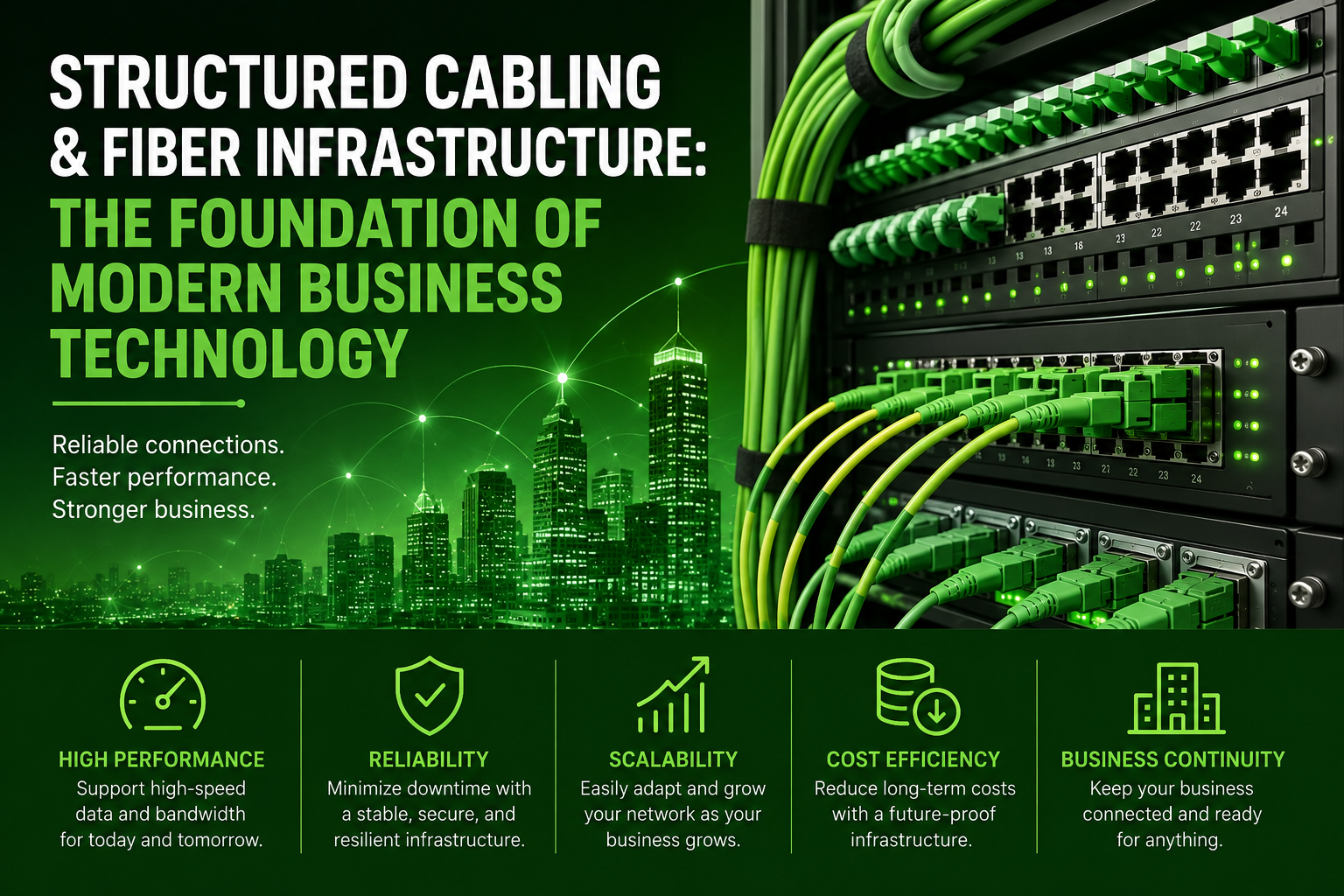
Structured Cabling & Fiber Infrastructure: The Foundation of Modern Business Technology
Behind every high-performing office, seamless video conference, and lightning-fast cloud application lies a clean, organized physical network. While Wi-Fi gets the spotlight, high-speed copper and fiber optic cabling carry the real load. Discover how structured cabling powers modern enterprise infrastructure—and how Low Voltage Tech Solutions builds, tests, and future-proofs network foundations to keep your business connected without interruption.